

PHP 8.1 reached end of life on December 31, 2025. PHP 8.2 reaches end of life on December 31, 2026. PHP 8.3 gets security fixes until the end of 2027, PHP 8.4 until the end of 2028 and PHP 8.5 until the end of 2029. On the same day 8.2 dies, PHP 8.4 also drops out of active support, which leaves PHP 8.5 as the only branch with full support through 2027.
This page keeps every date in one place, explains what end of life means in practice, and walks through a safe upgrade on a VPS. If you run WordPress, our WordPress PHP requirements guide covers which versions WordPress supports and recommends.
PHP end of life dates for every supported version
PHP gives every branch two years of active support (bug and security fixes), then two years of security fixes only. Since 2024 every branch ends on December 31.
| Version | Released | Active support until | Security fixes until (end of life) | Status in November 2026 |
|---|---|---|---|---|
| PHP 8.1 | 25 Nov 2021 | 31 Dec 2023 | 31 Dec 2025 | End of life |
| PHP 8.2 | 8 Dec 2022 | 31 Dec 2024 | 31 Dec 2026 | Security fixes only, ends this year |
| PHP 8.3 | 23 Nov 2023 | 31 Dec 2025 | 31 Dec 2027 | Security fixes only |
| PHP 8.4 | 21 Nov 2024 | 31 Dec 2026 | 31 Dec 2028 | Active, becomes security-only on 1 Jan 2027 |
| PHP 8.5 | 20 Nov 2025 | 31 Dec 2027 | 31 Dec 2029 | Active |
Every older branch (PHP 8.0, 7.4 and earlier) is long past end of life. Dates are from php.net's supported versions page and its list of unsupported branches.
December 31, 2026 changes two versions, not one
Most people know 8.2 dies at the end of 2026. Fewer notice that PHP 8.4 leaves active support on the same day. From January 1, 2027, 8.4 still gets security fixes until the end of 2028, but no ordinary bug fixes. It moves into the same security-only state 8.3 is already in.
That makes PHP 8.5 the only branch with both bug and security fixes through 2027. For a new project, or one you're upgrading anyway, it's the version to aim for if your framework and plugins support it.
What end of life means in practice
Nothing stops running on the end-of-life date. Your code keeps working exactly as before. What stops is fixes: any vulnerability found afterwards stays open on that branch for good.
October 2026 showed what that looks like. The PHP team shipped emergency fixes for two critical remote code execution flaws (the "php2shell" bugs) in 8.5.12, 8.4.27, 8.3.36 and 8.2.35. PHP 8.1, already end of life, got nothing. After December 31 the same will be true for 8.2. Our php2shell guide shows how to check a server has the patched build.
Attackers know this. Scanners fingerprint servers by their PHP version and go looking for sites still on an unpatched branch.
Which PHP version to move to
- PHP 8.3: the smallest jump from 8.1 or 8.2, with security fixes until the end of 2027. Pick it if you need the quickest, lowest-risk move now and will upgrade again next year.
- PHP 8.4: security fixes until the end of 2028 and well tested by plugins and packages. A sound default for existing sites.
- PHP 8.5: the only branch in active support through 2027, with security fixes until the end of 2029. It's also what Ubuntu 26.04 ships. Best for new projects and well-maintained codebases.
Your framework and dependencies usually decide this, not php.net:
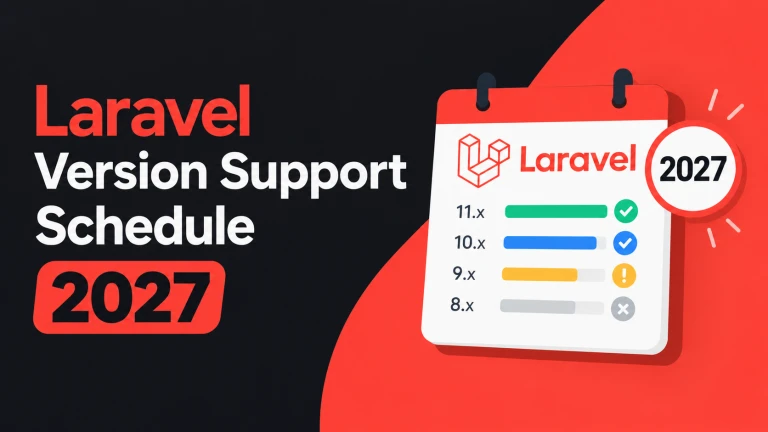
- Laravel: Laravel 13 needs PHP 8.3 to 8.5. Laravel 12 supports 8.2 to 8.5 but gets security fixes only until February 24, 2027. See our Laravel version support schedule.
- WordPress: WordPress 7.0 and 7.1 support PHP 8.3, 8.4 and 8.5, and require at least 7.4. Plugins are the real limit. See WordPress PHP requirements.
Packages and plugins often drop an old PHP version before its official end of life. You'll usually notice when composer update stops offering newer releases, or a plugin's "Requires PHP" line rises above what you run.
How to upgrade PHP on a VPS, step by step
Step 1: check what you're actually running
The command-line version and the version serving your site can differ. Check both:
php -v
ls /etc/php/            # every version installed (Debian/Ubuntu)
systemctl list-units 'php*-fpm*' --no-pager
The running PHP-FPM unit (for example php8.2-fpm.service) is what your web server talks to. To be certain, look at the socket Nginx points to:
grep -R "fastcgi_pass" /etc/nginx/sites-enabled/On shared or managed hosting, check the PHP setting in the control panel. In WordPress, Tools → Site Health → Info → Server shows the version serving the site. For a Composer project, the "php" line in composer.json shows what the code expects, which isn't always what the server runs.
Step 2: find what will break before you switch
Going from 8.2 to 8.3 is a small step. Going to 8.4 or 8.5 adds more deprecations. The common ones in older code:
- Implicitly nullable parameters (
function f(string $s = null)) are deprecated in 8.4, the most common warning in WordPress plugins. See the implicitly nullable fix. - Dynamic properties have been deprecated since 8.2, so they're probably in your log already if you use them.
- Unbundled extensions. IMAP, pspell and OCI8 left core in 8.4. If your code uses one, it now comes from PECL or a third-party package.
Deprecations are warnings, not failures. Fatal errors come from removed functions, unbundled extensions and changed signatures, so those are what you test for. For a Composer project, ask whether your dependencies allow the new version before installing anything:
composer why-not php 8.4If a package blocks it, update that package first. For your own code, phpcompatibility/php-compatibility with PHP_CodeSniffer, or Rector, scans for version-specific problems.
Step 3: install the new version next to the old one
On Ubuntu and Debian you can run two PHP versions side by side and switch only when the new one is ready. Using PHP 8.4 from the ondrej/php PPA on Ubuntu 24.04 as the example:
# 1. List the extensions the old version uses, so you install the same set
php8.2 -m

# 2. Install the new version with matching extensions
sudo apt install php8.4-fpm php8.4-cli php8.4-mysql php8.4-mbstring \
  php8.4-xml php8.4-curl php8.4-zip php8.4-gd php8.4-intl php8.4-bcmath php8.4-redis

# 3. Compare config so you carry your changes over
diff /etc/php/8.2/fpm/php.ini /etc/php/8.4/fpm/php.ini
diff -r /etc/php/8.2/fpm/pool.d /etc/php/8.4/fpm/pool.d
Copy your pool settings (user, socket path, pm.max_children) and php.ini changes such as memory_limit and upload_max_filesize. If you tuned pm.max_children and forget it, you'll be back to the defaults that cause "server reached pm.max_children".
Step 4: test on staging, then switch with a one-line rollback
If you can, clone the site to a staging copy first, point it at the new version and click through the features you rely on. Then switch production:
# Point Nginx at the new socket, test, reload
sudo sed -i 's#php8.2-fpm.sock#php8.4-fpm.sock#' /etc/nginx/sites-available/example.com
sudo nginx -t && sudo systemctl reload nginx

# Make the CLI match (cron jobs, artisan, wp-cli)
sudo update-alternatives --set php /usr/bin/php8.4
The old PHP-FPM keeps running until you stop it, so rolling back is the same sed in reverse and another reload. Restart long-running PHP processes, such as Laravel queue workers (sudo supervisorctl restart all), so they load the new binary. Our Supervisor guide covers that setup.
Step 5: watch the logs for a week, then remove the old version
Most upgrade problems show up over the first few days as warnings in the logs, not as a broken home page:
sudo tail -f /var/log/php8.4-fpm.log
tail -f storage/logs/laravel.log          # Laravel
tail -f wp-content/debug.log              # WordPress, if WP_DEBUG_LOG is on
Exercise the paths visitors don't hit every minute: checkout, contact forms, uploads, scheduled jobs and anything that sends email. When the site has run cleanly for a few days, remove the old version:
sudo systemctl disable --now php8.2-fpm
sudo apt purge 'php8.2*'
FAQ
When is PHP 8.2 end of life?
December 31, 2026. After that date the PHP project publishes no more 8.2 releases, including security fixes.
Is PHP 8.1 still supported?
No. PHP 8.1 reached end of life on December 31, 2025 and gets no fixes from the PHP project.
Will my site stop working after end of life?
No. It keeps running exactly as before. What stops is fixes, so the risk grows the longer you stay.
My host or distribution says it still patches an old PHP version. Is that enough?
Some Linux distributions and paid vendors backport security fixes to old versions in their own packages. If your server gets PHP from such a source and the vendor commits to it in writing, that buys time. It doesn't help with plugins and packages that drop the old version on their own schedule.
Should I skip straight to PHP 8.5?
If your dependencies support it, yes: it saves an upgrade in 2027. If one important plugin or package doesn't support 8.5 yet, move to 8.3 or 8.4 now rather than waiting.
Does this apply to PHP-FPM and CLI PHP alike?
Yes. The lifecycle belongs to the PHP runtime, however you run it.
Dates checked against php.net's supported versions page on 2 November 2026. This page replaces our separate PHP 8.1 and PHP 8.2 end of life guides.
Comments 0
Be the first to comment.
Leave a comment